

Before you begin
You need an Autter account and permission to install a GitHub App on the target account or organization.Connect GitHub
1
Sign in to Autter
Open the Autter platform and sign in. Create a trial organization or open an existing organization.
2
Choose your own repository
Open repository selection and click I have repositories to connect.
3
Connect GitHub
Complete the GitHub authorization flow for the account or organization that owns your repository.
4
Grant repository access
Install the Autter GitHub App or review its existing access. Choose Only select repositories, include the repository you want to try, and approve the installation.
5
Add the repository to Autter
Return to Autter, select the repository, and click Add 1 repository when connecting a single repository.
6
Open or update a pull request
Use a connected repository and look for Autter feedback in the pull request.
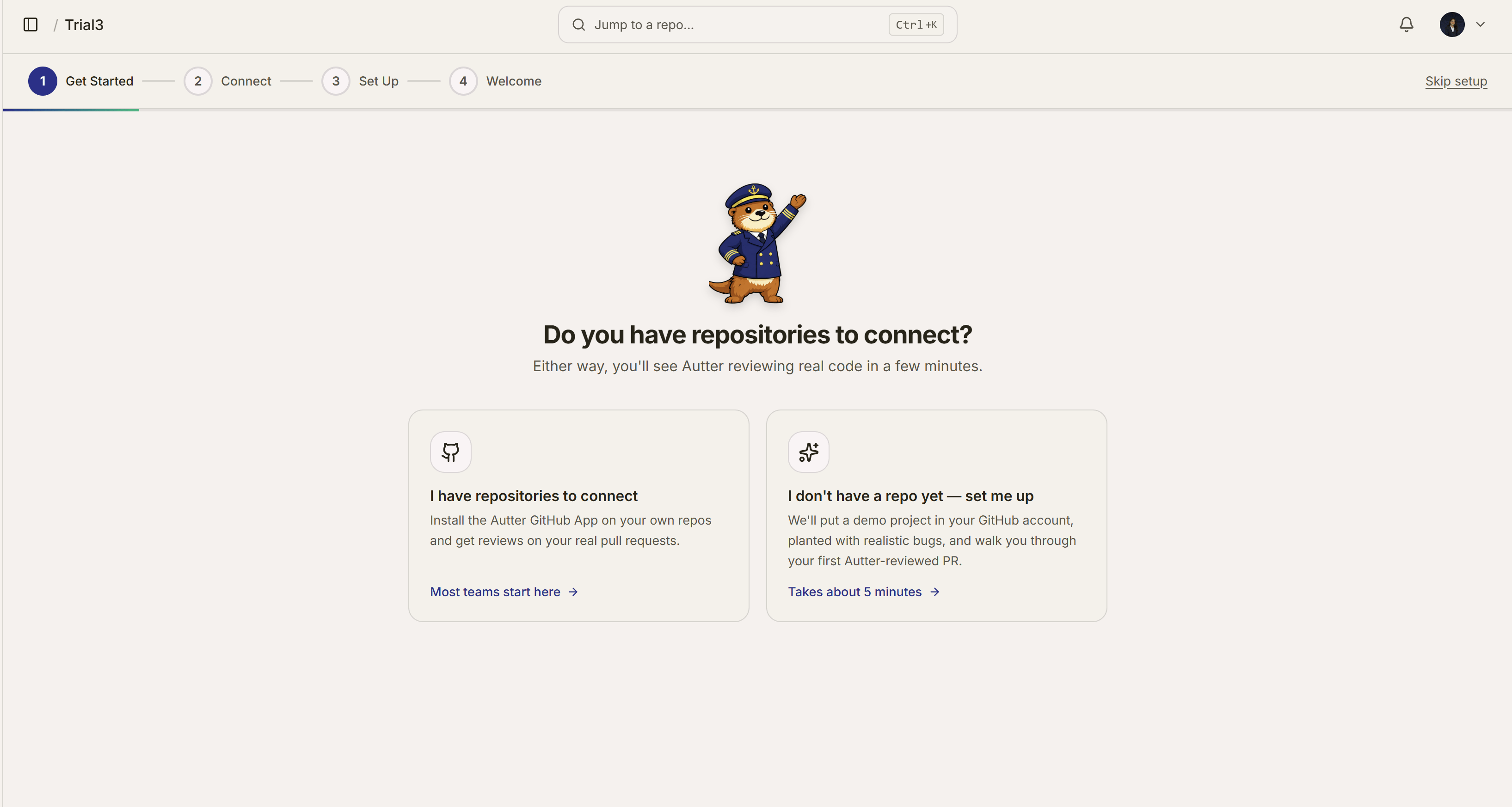
Choose your own repository during workspace setup, or let Autter create a demo repository.
Verify the connection
Confirm that:- the repository appears in the Autter platform after you add it to the organization
- the GitHub App has access to that repository
- a new or updated pull request starts an Autter review
- the review output appears in the pull request workflow
Add AI authorship
The source control integration and the Autter CLI are separate. Install the Autter CLI if you also want line-level AI authorship and coding-agent context.Create a custom rule
Add a team standard after you evaluate the default review.
Integrations
Add issue, notification, and editor context.